In this article
- Why warehouses break normal WiFi design
- Step 1 — Survey the building as it actually is
- Step 2 — Place access points down the aisles, not on a ceiling grid
- Step 3 — Configure for mobile clients, not for a speed test
- Step 4 — Build the wired side to match
- Step 5 — Validate, document, and re-survey after go-live
- Five mistakes we are called in to fix
- Bringing it together
Why warehouses break normal WiFi design
Office wireless is forgiving. Drywall attenuates predictably, ceilings are low, people sit still, and if one access point is slightly misplaced the neighbouring cells cover for it. Almost none of that holds in a warehouse.
Four things change at once:
- Metal is everywhere. Racking, mesh decking, roller doors, conveyor frames and the products themselves reflect and absorb signal. Reflection creates multipath; absorption creates dead zones. A rack canyon behaves like a waveguide with holes in it.
- Ceilings are high. Mounting at 30–40 feet puts the access point far from the devices that need it, and the useful part of the antenna pattern lands on top of the racking rather than in the aisle.
- The RF environment changes weekly. A rack full of bottled liquid attenuates dramatically more than the same rack full of empty cartons. Your building in January is not the same radio environment as your building in July.
- Clients are mobile and cheap. Handheld scanners and forklift-mounted terminals have small antennas, low transmit power and conservative roaming logic. They are the weakest links in your network and they are the ones doing the work.
The tell-tale symptom
If your scanners work fine standing in the open floor and drop the moment they enter an aisle, you do not have a coverage problem in the building — you have a placement problem in the aisles. Those are fixed very differently.
Step 1 — Survey the building as it actually is
Every warehouse project starts with measurement, not with a hardware quote. We run three things:
Predictive model
We build a model from your floor plan, marking construction materials, ceiling height, rack layout, rack height and the aisle grid. This produces a first-pass access point count and placement, and it is genuinely useful for budgeting — but it is a model, and a warehouse is exactly the environment where models are least reliable.
Passive survey
A technician walks the building with survey software listening to what is already in the air: existing access points, neighbouring businesses, and non-WiFi interference. In warehouses we routinely find 2.4 GHz devastated by wireless barcode gear, motor controllers and old cordless phones nobody remembers installing.
AP-on-a-stick validation
This is the step most competitors skip, and it is the one that saves the project. We mount a live access point on a battery-powered mast at a proposed position and measure real coverage from it, in the aisles, with the racking stocked as it normally is. Two or three of these tests will tell you more about the building than an entire predictive model.
Survey with the building loaded
If you survey during a slow period with half-empty racking, your design will be optimistic by a margin you will only discover at peak season. We ask when your stock is representative, and we survey then.
Step 2 — Place access points down the aisles, not on a ceiling grid
This is the single most important decision in warehouse wireless, and it is where most installations go wrong.
The instinct — and the way a ceiling-mounted office deployment is drawn — is an even grid across the roof. In a racked warehouse this delivers excellent coverage across the tops of your racks and disappointing coverage in the aisles where the work happens. The racking blocks the path from a ceiling-grid access point down into the canyon.
What works instead:
- Align access points with aisles. Each unit should have a clear line down an aisle, so the signal travels along the canyon rather than trying to punch through racking.
- Mount lower than the roof. Typically 18–25 feet, hung below the deck or mounted to rack uprights. Lower mounting puts more of the antenna pattern where the devices are.
- Use directional antennas where geometry demands. A patch or sector antenna aimed down a long aisle outperforms an omnidirectional unit placed hopefully in the middle.
- Cover the ends. Aisle ends, pick stations, dock doors and the packing area are where devices dwell and where dropouts get noticed.
Mounting lower means more mounting hardware, more cable and more coordination with racking. It also means the network works. We have replaced a great many "correctly specified" ceiling grids with a smaller number of well-placed aisle units and improved the result.
Step 3 — Configure for mobile clients, not for a speed test
A warehouse network is judged by how well a scanner keeps a session while a forklift moves at ten miles an hour, not by how fast a laptop downloads standing under an access point. Those goals need different settings.
Disable low data rates
Leaving 1, 2, 5.5 and 11 Mbps enabled lets a distant client cling to an access point it should have abandoned, consuming disproportionate airtime while doing so. Setting a sensible minimum basic rate forces clients to make roaming decisions at the right moment. This one change has fixed more warehouse complaints than any hardware we have ever sold.
Reduce transmit power
Turning every access point to maximum feels like more coverage. In practice it produces cells that overlap far too much, clients that hear five access points and commit to none, and co-channel interference that reduces total capacity. Matching AP power roughly to client power is the goal — your scanner cannot shout as loudly as your access point can.
Get the channel plan right
In 5 GHz, use the DFS channels — most warehouses have no radar concerns and DFS roughly doubles your available spectrum. Use 20 MHz channel widths, not 40 or 80: in a coverage-driven environment, more non-overlapping channels beats wider ones every time.
Tune roaming
Enable 802.11k, v and r where your client devices support them, and confirm support before enabling — some older industrial handhelds behave badly with fast transition. This is worth testing on your actual devices rather than assuming.
| Setting | Office default | Warehouse recommendation |
|---|---|---|
| Minimum data rate | 1 Mbps (default) | 12–24 Mbps depending on density |
| Channel width (5 GHz) | 40–80 MHz | 20 MHz |
| Transmit power | Auto / high | Medium, matched to client power |
| DFS channels | Often disabled | Enabled after radar check |
| Band steering | Aggressive | Conservative — many scanners are 2.4 GHz only |
Step 4 — Build the wired side to match
Wireless is only the last thirty feet. Everything behind it has to hold up, and in a warehouse the distances involved break assumptions that work fine in an office.
- Copper runs out at 100 metres. In a large building, many access point positions are simply beyond reach of the main distribution frame. That means intermediate distribution frames — small enclosed racks fed by fiber, each serving the access points within reach.
- Fiber backbones, not daisy-chained switches. Multimode OM4 within the building, single-mode to detached structures. Fiber also removes the electrical bonding problem between separate buildings.
- PoE budget matters. WiFi 6 and 6E access points draw meaningfully more than older units. Size switches with headroom and put them on a UPS — losing the switch loses every access point it feeds.
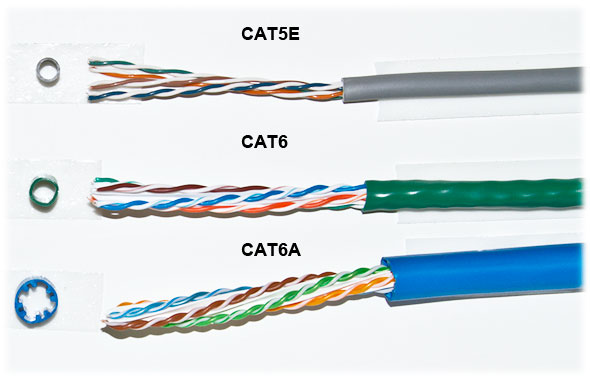
- Cat6A to the access points. The incremental cost is small compared with the labour of pulling cable through a warehouse a second time.
- Protect the cable. Conduit or armoured cable where a forklift can reach. It will eventually be reached.
Step 5 — Validate, document, and re-survey after go-live
The last step is the one that separates a professional installation from an expensive guess: prove that what was promised was delivered.
After installation we run a full post-deployment survey — passive for coverage and interference, active for throughput, retries and roaming behaviour. We walk the aisles with the same class of device your staff use, because a laptop's experience is not evidence about a scanner's.
Deliverables you should insist on from any contractor:
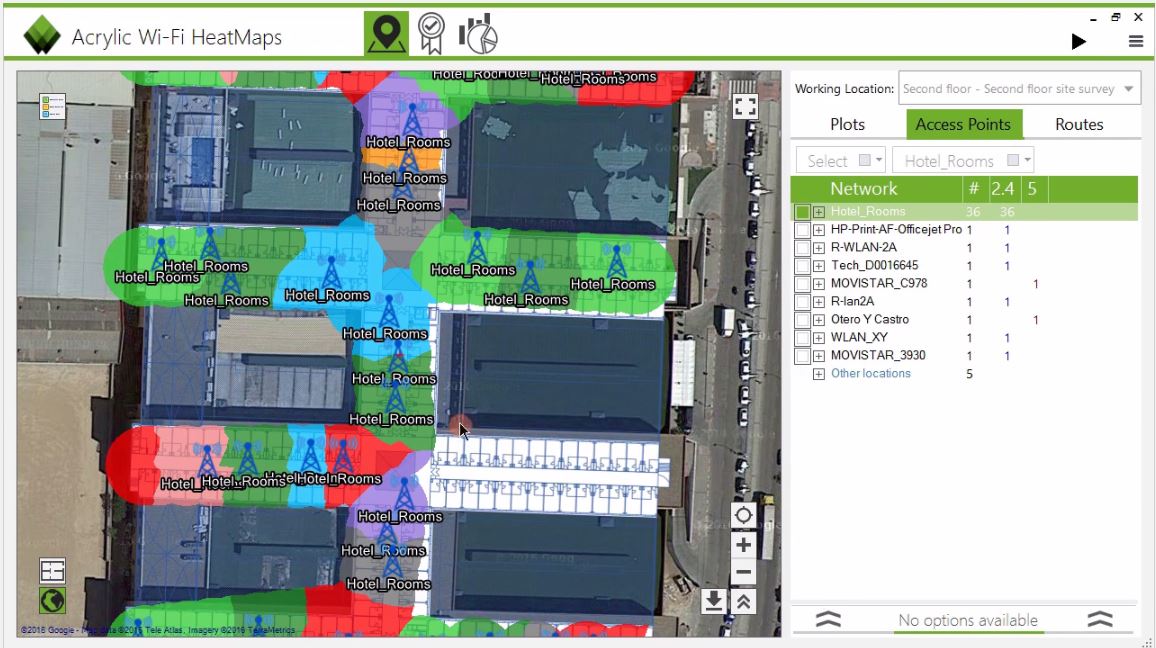
- Post-installation heat maps for signal strength, SNR and data rate
- Roaming trace showing clean handoffs along a representative route
- Cable certification results for every run
- As-built drawings with access point positions, models and mounting heights
- Channel and power plan as configured
- Controller credentials and a documented IP schema
Then re-survey after a few months of real operation. Stock levels change, racking gets reconfigured, a mezzanine appears. A short annual walkthrough catches drift long before it becomes a complaint.
Set a baseline while it works
The most valuable thing about a post-install survey is that it gives you a known-good reference. When somebody says "the WiFi got worse", you can measure against the day it was signed off instead of arguing about impressions.
Five mistakes we are called in to fix
- Consumer hardware in a commercial building. A mesh system designed for a house cannot manage roaming for forty scanners across 60,000 square feet, and no amount of adding nodes fixes it.
- Ceiling-grid placement in a racked building. Beautiful drawing, unusable aisles.
- Everything at maximum power. Creates the interference it was meant to overcome.
- No survey, ever. Neither before nor after. Nobody can prove what was delivered, including the installer.
- Ignoring 2.4 GHz. Many industrial handhelds are 2.4 GHz only. If your design treats that band as legacy, your most important devices are on your worst network.
Bringing it together
Warehouse wireless is not mysterious — it is just unforgiving. Survey with the building loaded, place access points down the aisles at a sensible height, configure for mobile clients rather than for benchmarks, build a wired backbone that can actually reach, and prove the result with data you keep.
Get those five right and the network stops being a topic of conversation, which is the only outcome anyone actually wants.
If you would like this done properly in your building, request a site survey and we will walk it with you.
Need this done in your building?
We survey, design, install and support commercial networks across Greater Los Angeles. Request a consultation or call 626-289-0188.